Trending Birthday Ai Video Editing Prompt – Friends, nowadays Cake Fire Birthday AI video editing is going viral very rapidly on social media. People are creating amazing Birthday AI videos from their own or their friends’ photos and posting them on social media, where they are getting millions of views. If you also want to create exactly the same professional and viral AI edit, then this article is for you. In this article, we will explain the complete process step by step, so that you can prepare your video with just one click. You just need to read all the steps mentioned in this article carefully and follow them correctly. After that, you will also be able to create a viral AI video in just a few minutes. So, make sure to try this edit once, because your next video might go viral on social media.
About Trending Birthday AI Video Editing Prompt
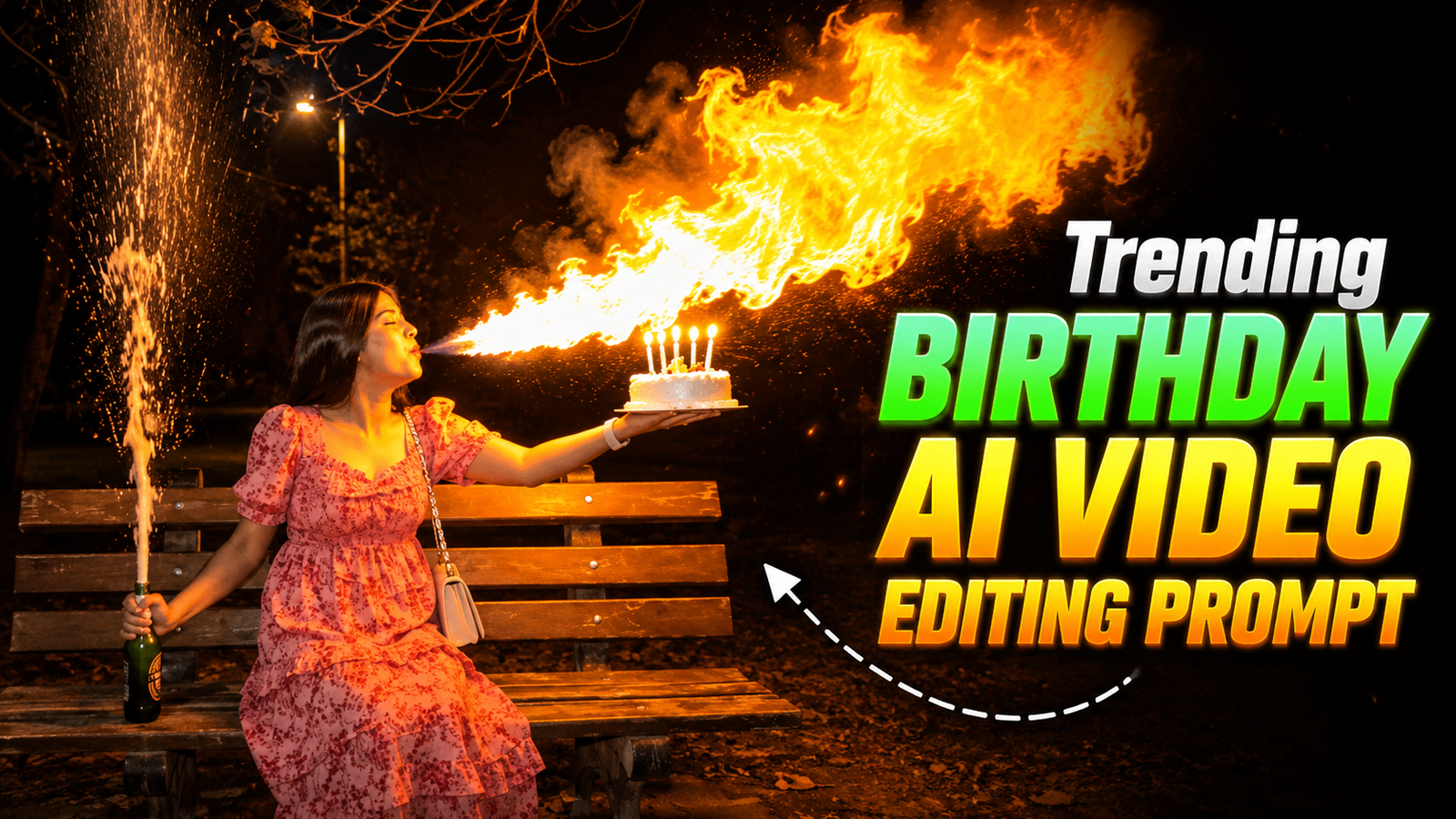
Let’s first talk about this viral AI edit. Friends, these days, Birthday AI videos like this are getting viral really fast on social media. The best thing about these videos is how realistic and cinematic they are. They look like they were shot with a professional camera at first sight. But the truth is, this film was made by AI. First, we construct an AI image of a birthday using the help of ChatGPT. Then, the same image is submitted on the Flow AI website and turned into a cool and smooth AI video. That is the reason why this video looks so natural and lovely. The best part is that you don’t need to have any professional video editing abilities to create it. You just need to utilise the right prompt, and you can also easily create such a viral Birthday AI video in just a few minutes.
Create This Trending Birthday AI Photo Using ChatGPT
If you want to produce Birthday AI Photo like this, then you can easily generate it with the aid of ChatGPT. First, copy the Image Prompt below and then launch ChatGPT by clicking the Create Your Image button. Then upload your photo, paste the instruction and click the Send button. ChatGPT will make your photo look amazing, realistic and professional Birthday AI Photo in seconds. When the photo is ready click on it and download or save to your phone.
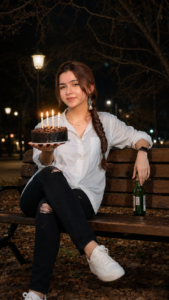
Create a highly realistic nighttime birthday portrait using the exact face from my uploaded reference photo without changing any facial features, skin tone, beard, hairstyle, sunglasses, or expression. The person is sitting casually on a wooden park bench in a quiet park at night. He is wearing a white full-sleeve shirt with rolled sleeves, black ripped jeans, white sneakers, a black smartwatch, and black sunglasses. His left hand is holding a green glass bottle resting on the bench, while his right arm is extended holding a small round chocolate birthday cake with four lit candles. The background features dim glowing street lamps, leafless tree branches overhead, dry leaves on the ground, and a cinematic dark atmosphere. Warm candlelight illuminates the face naturally while soft park lights create realistic shadows. Ultra-realistic DSLR photography, 85mm lens, shallow depth of field, natural skin texture, sharp facial details, HDR lighting, bokeh background, high contrast, 8K, photorealistic, premium color grading, preserve the uploaded face exactly with no changes to identity. Vertical composition (9:16).
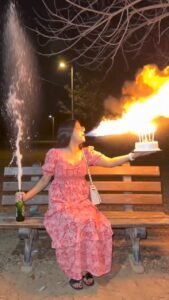
Static camera, one continuous 6-second shot, vertical 9:16, ultra-photorealistic night park with warm street lights, cinematic bokeh, and film-quality lighting. A man wearing black suite walks naturally into frame carrying a birthday cake with lit "22" candles in one hand and a champagne bottle in the other. He sits naturally on the bench, naturally holding the cake in front of his without placing it on the bench. he briefly shakes the champagne bottle with controlled excitement while still holding the cake. he then forcefully slams the bottom of the champagne bottle against on the bench. At the exact same instant, he leans toward the cake and blows out the candles. The cork explodes off precisely as she blows, creating perfect synchronized timing. A powerful champagne fountain erupts upward and sprays continuously with realistic pressure, droplets, mist, and natural physics. Simultaneously, his breath seamlessly transforms into a smooth cinematic fire-breath effect, growing into a bright, realistic flame that illuminates his face, hair, dress, and the surrounding scene. Champagne spray, smoke, sparks, glowing embers, and volumetric lighting fill the frame while maintaining realistic interactions. Ultra-realistic Hollywood cinematic quality, physically accurate fire simulation, realistic champagne spray dynamics, natural body movement, perfect synchronization between candle blow, cork pop, champagne eruption, and fire breath, no text, no watermark, no extra people.
How To Generate Trending Birthday Ai Video Editing
To make this viral AI film all you have to do is Google Flow AI and make your video If you don’t know the entire process, there’s nothing to worry about. Below we have discussed the whole process step by step. Just follow all the procedures carefully and you will be able to build your spectacular viral AI video effortlessly in just few minutes.
- First, copy the video prompt given above.
- Then, click the Generate Your Video button provided in this article.
- After that, the Flow AI website will open on your mobile or computer.
- Once the website opens, log in with your Google Account.
- Now, click the + New Project button visible on the home page.
- After that, click the Start button and upload the Birthday AI Photo from your gallery that you created earlier with the help of ChatGPT.
- Next, paste the prompt into the box given below.
- Now, choose the Video Size, Duration, and other settings according to your needs.
- Once all the settings are complete, click the Send button.
- Now, the AI will process your photo and start creating the video. This may take a few minutes.
- Once the video is ready, download it and save it to your gallery.
Conclusion
Friends, now with the help of this article, you have learned the whole procedure of generating a Trending Birthday AI Photo and Birthday AI Video. We’ve broken down each process from start to finish in plain English so you can produce your popular AI video without needing advanced editing abilities. If this information was valuable to you, don’t forget to visit our website periodically. Find the newest viral CapCut templates on social media daily. Latest Photo Editing Prompts, AI Video Editing Prompts.