Viral Ai Girl Animation Reels Video Editing Prompt – Friends, once again a new viral AI Girl Video Trend is rapidly taking over social media. Everyone is transforming their simple and normal videos into amazing and attractive AI Girl Videos with the help of AI. The best part of this trend is that even without any professional video editing skills, you can create such a video by following a few simple steps. If you also want to create this viral AI video for yourself, then in this article we will explain the complete process to you step by step.
Details Of Viral Ai Girl Animation Reels Video Editing Prompt
So first things first, let’s speak about this popular AI Girl Video. This current AI video is going viral on Instagram really fast and millions of people are loving it right now. If you view this video, you will immediately want to make one yourself too. The thing that makes this video so exceptional is the emotive background music that draws your attention straight from the beginning. When the video starts the first thing you see is a boy. A few seconds later, we see a lovely female seated next to him. At first sight, the whole video looks so natural and lifelike that it seems it was filmed with a camera in a real place. But friends, the whole video is made with the help of ChatGPT and Flow AI. And the best part about this is you don’t need any advanced video editing abilities to create it. With the help of the correct AI Prompt you can also create such a great and viral film just in a few clicks.
How To Create This AI Girl Photo?
If you also want to create this viral AI Girl Photo, the process is very simple. First, we will create a photo with the help of AI, and after that, we will learn how to convert that same photo into a video. First, copy the Photo Prompt provided in this article and click on the Create button. As soon as you click it, the ChatGPT website will open. Now tap on the + icon below and upload your photo. After that, paste the copied Prompt below the image and click the Send button. Within a few minutes, ChatGPT will transform your photo into an amazing AI Girl image with the help of AI. Once your photo is ready, save it.

Ultra realistic cinematic park portrait, a young man wearing an oversized purple t-shirt, white pants, and light blue sneakers lying comfortably on a stone bench. His head is resting gently on the lap of a beautiful young woman wearing an elegant black kurti. The woman has long, thick, silky black hair flowing naturally over her shoulders, attractive facial features, warm smile, and realistic skin texture. She is lovingly stroking the young man’s hair while looking down at him. Lush green trees, red brick pathways, stone benches, and a blue gate in the background. Soft natural daylight, realistic shadows, shallow depth of field, highly detailed faces, cinematic composition, natural pose, romantic atmosphere, DSLR photography, 85mm lens, ultra sharp focus, HDR, 4K quality, photorealistic, realistic skin pores, natural colors, masterpiece, no blur, no distortion.
Video Prompt-
Ultra-realistic cinematic 4K video. A beautiful young woman in a black kurti is sitting on a stone bench in a lush green park, while a young man rests his head peacefully on her lap. The woman gently strokes his hair and softly caresses his head with natural hand movements. A light breeze flows through the environment, making her long black hair sway naturally in the wind. The leaves and trees in the background move subtly, creating a calm and romantic atmosphere. Natural facial expressions, realistic skin texture, detailed clothing physics, soft daylight, shallow depth of field, smooth camera motion, cinematic lighting, highly detailed, ultra realistic, HDR, 4K quality, natural shadows, realistic wind simulation, emotional and peaceful mood, professional film look, stable motion, lifelike animation.
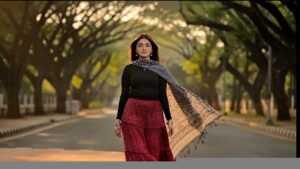
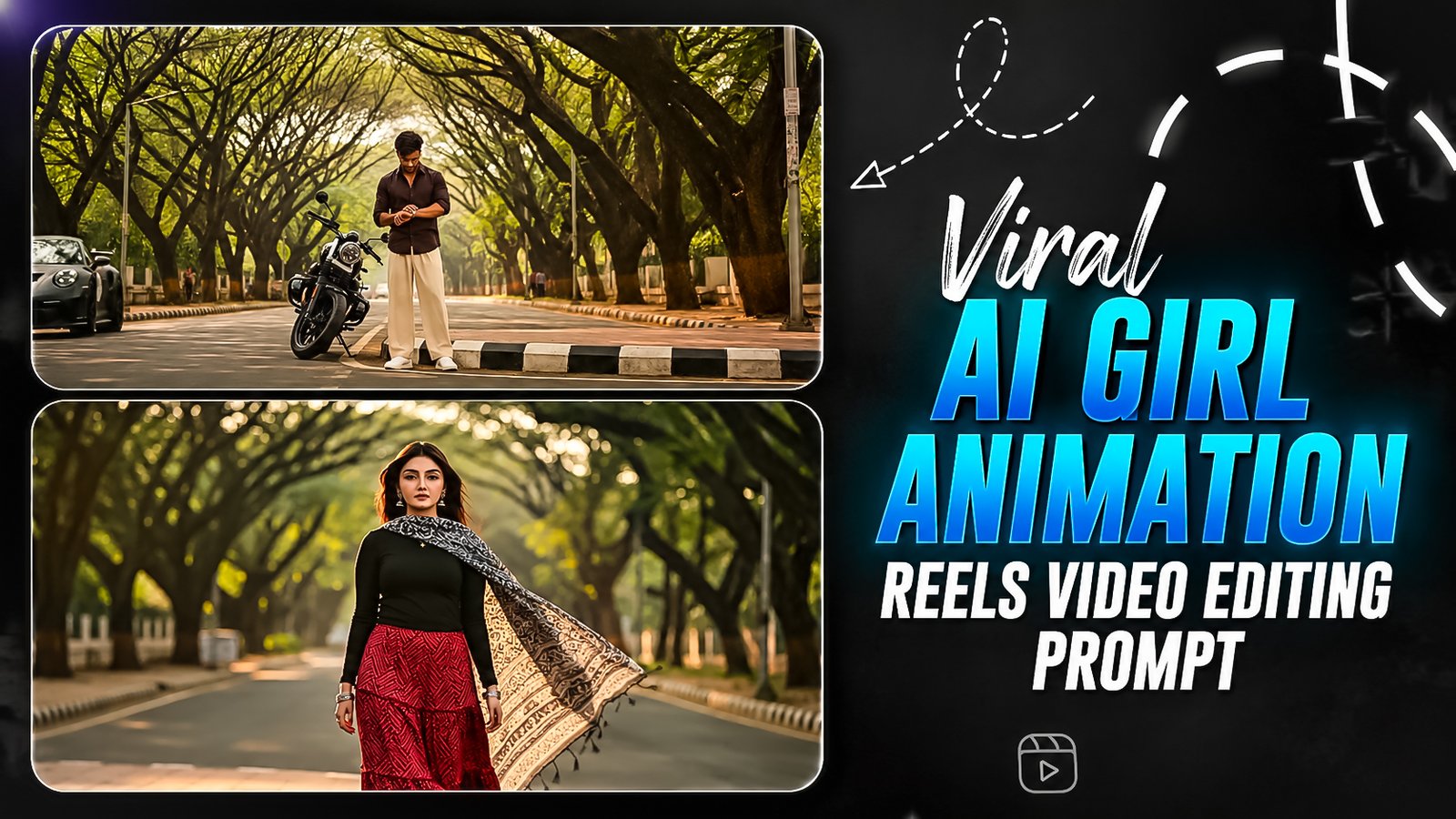
Cinematic 4K photorealistic video, 15 seconds, 24 fps. Natural golden hour lighting. A wide, tree-lined boulevard in Bangalore with tall rain trees forming a lush canopy overhead. Warm amber sunlight filters through the leaves, creating dappled golden light across the road. Gentle city ambience with realistic environmental sounds. BEAT 1 (0:00–0:04) A young handsome Indian man (from @Image1) stands on the near-side footpath beside a black sports bike, facing the camera. He has a sharp jawline, neatly styled black hair, light stubble, and wears clear glasses. Outfit: premium charcoal-grey linen blazer over a white button-up shirt (top button open, no tie), tailored beige trousers, tan leather loafers, and a silver wristwatch (from @Image3) on his left wrist. He casually looks down at his watch, relaxed and completely unaware. A black Porsche 911 GT3 enters from the left at realistic road speed. It honks once and sweeps across the foreground with cinematic motion blur, briefly blocking the road for about one second. A realistic wind gust follows as the car passes. BEAT 2 (0:04–0:07) As the car clears the frame, slow motion begins. On the opposite footpath, a young Indian woman (from @Image2) steps off the curb and begins walking directly toward the camera. The passing car's wind gently lifts her soft wavy dark hair. She wears a fitted black sleeveless blouse with a deep V-neck and a sheer black net saree featuring an elegant gold sequin border draped gracefully over one shoulder. A thin gold butterfly pendant necklace catches the warm sunlight. She wears delicate gold bangles, small gold earrings, and flat strappy sandals. She gently holds a bouquet of fresh white and blush-pink roses with eucalyptus leaves close to her chest. Her expression is calm and natural, eyes looking ahead, completely unaware of the man across the street. BEAT 3 (0:07–0:10) Cut to a close-up of the man's face. He slowly lifts his head from his watch and looks across the road. His eyes widen slightly, his lips part just a little, and his glasses reflect the soft golden light. His expression conveys quiet surprise and admiration—completely natural and understated. BEAT 4 (0:10–0:12) Cut back to the woman in slow motion as she continues walking toward the camera. Her saree pallu flows gently in the breeze, the bouquet rests naturally in her hands, and her hair gradually settles. She never looks toward the man and remains peacefully in her own world. BEAT 5 (0:12–0:15) Close-up of the woman's face in slow motion. Warm amber sunlight softly illuminates her features. Her hair gently moves with the fading breeze, her dark expressive eyes remain focused ahead, and her expression stays serene and effortless. The bouquet is subtly visible near the edge of the frame. The background dissolves into warm golden bokeh beneath the rain-tree canopy. Ambient wind gradually fades into silence. Visual Style: Ultra-photorealistic documentary realism, anamorphic lens, shallow depth of field, cinematic natural colors, realistic skin texture, no beauty filters, no artificial effects, smooth camera movement, no jump cuts. Audio: No background music. Only natural diegetic sounds: distant city ambience, a single car horn, passing wind, soft footsteps, and a fading breeze.
How To Generate Viral Ai Girl Animation Reels Video Editing
Friends, now let’s discover how to make your AI Photo into a Viral AI Girl Video. The technique is quite simple, it just takes a few minutes to perform it. First, duplicate the Video Prompt above. Click on the Create Your Video button underneath the prompt. The moment you tap it, your phone will launch the Flow AI website. Now click on the + New Project button below. Next you will notice the Start button at the bottom click on it. Now, upload the AI Photo that you have made before from your gallery. When you upload the photo, paste the copied Video Prompt into the video box. Then select Video Size, Duration and Frames settings according to your preferences. Once you are done with all the options, click on the Send icon. Then the AI begins to turn your snapshot into a video. Please wait, it may take a few minutes to generate the video. Once the video is fully prepared, download it and save it in your gallery.
Conclusion
We hope you liked this Viral AI Girl Video Editing Prompt and that, with the help of this article, you learned how to easily create your AI Photo and viral AI Video. If you want to get the latest Viral AI Photo Editing Prompts and other trending editing updates first, then keep visiting our website regularly. Here, you will find new and latest CapCut Templates and step-by-step tutorials every day. If your video has been created successfully, be sure to share this article with your friends so they can also become part of this viral trend and easily create their own amazing video.