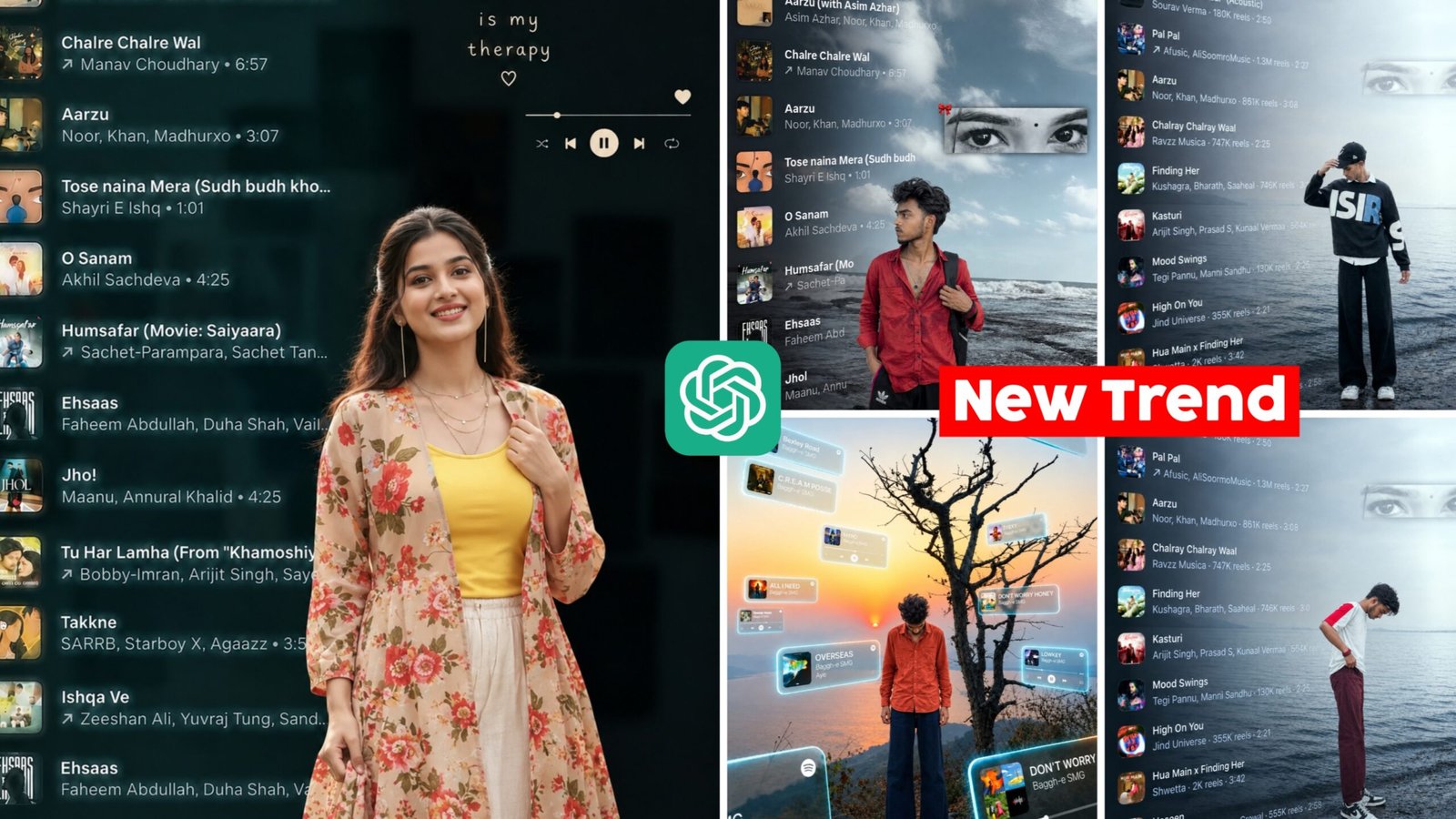
Music Player Photo Editing Prompt 2026 – Looking to transform your favourite pictures into unique designs with music? In this post we will have a look at a photo editing idea that will make your images look like fascinating music related shots. This does not require any complex editing. Create a design just how you like it with the proper prompt in a few easy steps. Let’s have a look at this new imaginative technique to make your photographs stand out.
Trending Music Player Photo Editing Prompt 2026
This strategy can be beneficial if you want to create your shot around a music theme. It enables you to add elements such as song titles, album art, and audio controls with your photo to create an entertaining composition. You can change the design arrangement as per your liking and can make the image look as per your wish. Upload your photo to ChatGPT , add a prompt that describes what you want and generate an image. With this you can make a new design with your own imagination, which can also be utilised on social media.
What Is Trending Music Player Photo Editing ChatGPT Prompt 2026
This innovative photo editing will make your picture look new and music-inspired. You can make fantastic designs by mixing different ideas, from photos with lists of songs to pictures where elements related to music form a key part of your entire style. Every design has this characteristic that makes it more than a snapshot. You can pick any theme you like, try out this style and make your shot look spectacular, gorgeous.

IMAGE 1 MASTER TEMPLATE, IMAGE 2 = AUDIENCE PHOTO. Current Image 1 is the only master reference. Match its subject position, scale, framing, camera angle, perspective, depth, lighting, HD color treatment and atmosphere. Fit Image 2 naturally into the SAME position and scale; never make it unnecessarily larger. Keep Image 1's background/environment unchanged. Apply Image 1's color, lighting and HD visual treatment naturally to Image 2, while preserving Image 2's real face, identity, hairstyle and original clothing design/pattern. Completely remove Image 2's old background with clean hair/clothing edges and no halo or leftover fragments. Follow Image 1's framing: if both images are half-body, keep the final half-body; if full-body framing is required, complete missing parts naturally without forcing full-body unnecessarily. Preserve natural pose and anatomy. Match ground contact, shadows, perspective and depth so the person looks genuinely photographed there. Preserve all text visible in Image 1 exactly as shown; do not remove, erase, alter or omit any existing text. If Image 1 contains no text, do not create or add any new text yourself. Use current Image 1 only-never carry colors/styles from previous images. DSLR-quality, realistic 8K, exact 4:5. Self-check position, scale, framing, identity, color, background and realism; fix errors before final output.
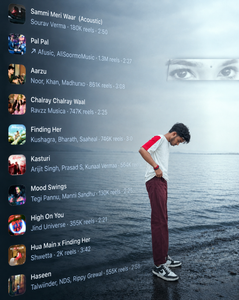
IMAGE 1 MASTER TEMPLATE, IMAGE 2 = AUDIENCE PHOTO. Current Image 1 is the only master reference. Match its subject position, scale, framing, camera angle, perspective, depth, lighting, HD color treatment and atmosphere. Fit Image 2 naturally into the SAME position and scale; never make it unnecessarily larger. Keep Image 1's background/environment unchanged. Apply Image 1's color, lighting and HD visual treatment naturally to Image 2, while preserving Image 2's real face, identity, hairstyle and original clothing design/pattern. Completely remove Image 2's old background with clean hair/clothing edges and no halo or leftover fragments. Follow Image 1's framing: if both images are half-body, keep the final half-body; if full-body framing is required, complete missing parts naturally without forcing full-body unnecessarily. Preserve natural pose and anatomy. Match ground contact, shadows, perspective and depth so the person looks genuinely photographed there. Preserve all text visible in Image 1 exactly as shown; do not remove, erase, alter or omit any existing text. If Image 1 contains no text, do not create or add any new text yourself. Use current Image 1 only-never carry colors/styles from previous images. DSLR-quality, realistic 8K, exact 4:5. Self-check position, scale, framing, identity, color, background and realism; fix errors before final output.
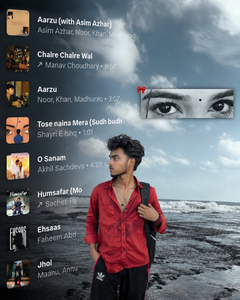
IMAGE 1 MASTER TEMPLATE, IMAGE 2 = AUDIENCE PHOTO. Current Image 1 is the only master reference. Match its subject position, scale, framing, camera angle, perspective, depth, lighting, HD color treatment and atmosphere. Fit Image 2 naturally into the SAME position and scale; never make it unnecessarily larger. Keep Image 1's background/environment unchanged. Apply Image 1's color, lighting and HD visual treatment naturally to Image 2, while preserving Image 2's real face, identity, hairstyle and original clothing design/pattern. Completely remove Image 2's old background with clean hair/clothing edges and no halo or leftover fragments. Follow Image 1's framing: if both images are half-body, keep the final half-body; if full-body framing is required, complete missing parts naturally without forcing full-body unnecessarily. Preserve natural pose and anatomy. Match ground contact, shadows, perspective and depth so the person looks genuinely photographed there. Preserve all text visible in Image 1 exactly as shown; do not remove, erase, alter or omit any existing text. If Image 1 contains no text, do not create or add any new text yourself. Use current Image 1 only-never carry colors/styles from previous images. DSLR-quality, realistic 8K, exact 4:5. Self-check position, scale, framing, identity, color, background and realism; fix errors before final output.

IMAGE 1 MASTER TEMPLATE, IMAGE 2 = AUDIENCE PHOTO. Current Image 1 is the only master reference. Match its subject position, scale, framing, camera angle, perspective, depth, lighting, HD color treatment and atmosphere. Fit Image 2 naturally into the SAME position and scale; never make it unnecessarily larger. Keep Image 1's background/environment unchanged. Apply Image 1's color, lighting and HD visual treatment naturally to Image 2, while preserving Image 2's real face, identity, hairstyle and original clothing design/pattern. Completely remove Image 2's old background with clean hair/clothing edges and no halo or leftover fragments. Follow Image 1's framing: if both images are half-body, keep the final half-body; if full-body framing is required, complete missing parts naturally without forcing full-body unnecessarily. Preserve natural pose and anatomy. Match ground contact, shadows, perspective and depth so the person looks genuinely photographed there. Preserve all text visible in Image 1 exactly as shown; do not remove, erase, alter or omit any existing text. If Image 1 contains no text, do not create or add any new text yourself. Use current Image 1 only-never carry colors/styles from previous images. DSLR-quality, realistic 8K, exact 4:5. Self-check position, scale, framing, identity, color, background and realism; fix errors before final output.
How To Trending Music Player Photos With ChatGPT 2026
The first step in this editing process is to head over to ChatGTP and merge the photo you want with the background you want. Then copy the prompt from this post and paste it into the chat window and ask it to generate the image. The AI will grasp your instructions and merge two photographs into one frame. The resulting image will seem pretty and natural. Once the image is generated inspect the image and if you are happy
Best Music Player AI Photo Editing Tips
You have the idea of building a gorgeous music-themed graphic. Decide in advance whatever visuals you want to use and where you want to position them. Give an AI tool specific instructions on photo quality, lighting, colour tone, and musical design. If you use your own photo, make sure that the face features and personal appearance are accurate to the original. When you have made the image, look very carefully at every area of it. So that the design seems nice and balanced. This way you may put together an image that is exactly what you desire.
Conclusion
This photo editing hack may make a boring shot look amazing and fashionable. All the necessary data are supplied to make the procedure simple so that you may edit your images without any misunderstanding. So what are you waiting for? Try out this new editing technique and use your creativity to make a great photo.